
Best Reference Management Software: 2026 Comparison
Best Tools for Reference Management Compared
Find the right software for your research - for students, independent researchers, teams, and institutions.
Partner placements are sponsored. Within the selected category, they remain visible regardless of search and other filters.
AntConc
Laurence AnthonyAntConc is a free corpus analysis toolkit developed by Laurence Anthony for concordancing and text analysis. It provides keyword-in-context views, word lists, collocations, clusters, and other tools for investigating recurring language patterns in collections of texts.
The software is especially useful for linguists, discourse analysts, language teachers, and researchers carrying out corpus-assisted content analysis. Working with local files, users can inspect how a word appears across documents instead of relying on isolated frequency counts. AntConc is a focused option for studying vocabulary, phraseology, and textual context without building a custom natural language processing pipeline.
Student offer details A free version or plan is available to students; paid features may cost extra.
ASReview
ASReview research communityASReview is open-source software for machine-learning-assisted screening in systematic reviews. Its active learning workflow uses reviewer decisions to prioritize records, helping researchers focus attention on literature that the model considers more likely to be relevant.
It is particularly useful for review teams and methodological researchers dealing with large sets of titles and abstracts. The software supports an iterative process in which human judgments guide the next screening steps. ASReview belongs to the study-selection stage of evidence synthesis; a review protocol, suitable stopping approach, and careful documentation remain important when interpreting what has and has not been screened.
Student offer details Free software, including for students.
ATLAS.ti
ATLAS.ti / LumiveroATLAS.ti is qualitative research software for coding, organizing, and interpreting textual and multimedia data. Its research workspace connects quotations, codes, memos, and relationships, making it useful when analysis needs to move between individual passages and broader conceptual patterns.
Common applications include interview analysis, grounded theory, thematic analysis, and document-based research. Researchers can compare coded material across document groups and use visual representations to explore connections. It is a practical option for academic teams and independent researchers who want qualitative data analysis software with both detailed coding tools and ways to examine patterns across a wider dataset.
Student offer details Student licenses are available; current prices and eligibility are handled through the provider’s student purchasing flow.
BibBase
Christian Fritz · since 2005BibBase is a centrally hosted bibliography publishing service intended for publication pages. It is less of a full writing environment and more of a way to turn bibliographic data into a public, browsable publication list.
It is especially relevant for scholars, research groups, and labs that want to maintain publication pages from BibTeX-style data without operating a complete institutional repository or reference-management desktop application.
For day-to-day writing, BibBase fits workflows that use LaTeX and BibTeX and cloud syncing.
Student offer details A free web service is available for maintaining and embedding publication lists.
BibDesk
BibDesk developers · since 2002BibDesk is free and open-source macOS reference management software designed as a BibTeX front end and bibliography repository. It fits naturally into TeX, LaTeX, and Mac desktop research workflows.
It is especially useful for Mac users who maintain BibTeX databases, attach local PDFs, search metadata, and use citation keys in technical or scholarly writing. It is more specialized than general-purpose cloud reference management software.
For day-to-day writing, BibDesk fits workflows that use LaTeX and BibTeX, browser capture, and PDF management.
Student offer details Free software, including for students.
BibSonomy
University of Kassel · since 2006BibSonomy is an academic, web-based social bookmarking and publication-management system from the University of Kassel. It focuses on collecting, tagging, sharing, and exporting bibliographic references online.
It is especially relevant for researchers and academic groups that want a hosted bibliography and bookmark-sharing environment with BibTeX/RIS-style export rather than a full desktop writing suite.
For day-to-day writing, BibSonomy fits workflows that use LaTeX and BibTeX, browser capture, cloud syncing, and collaboration.
Student offer details Free software, including for students.
Bookends
Sonny Software · since 1988Bookends is long-running proprietary reference management software for macOS and mobile. It emphasizes local library control, iCloud syncing, integrated web search, PDF download, citation tools, and annotation workflows.
It is especially relevant for Mac-first researchers and writers who want a mature desktop application with Word integration, PDF annotation stored as notes, BibTeX support, and strong local-library habits.
For day-to-day writing, Bookends fits workflows that use Microsoft Word, LibreOffice, LaTeX and BibTeX, browser capture, PDF management, and cloud syncing.
Student offer details The free version supports up to 50 references; a paid license removes this limit.
Citavi
Lumivero · since 2006Citavi is a proprietary reference and knowledge-management tool from Lumivero. It is known for combining reference management with task planning, quotations, notes, knowledge organization, and team access.
It is especially relevant for dissertation projects, long-form literature reviews, systematic knowledge organization, and Windows-centered research teams that need Word integration, database searching, cloud/team options, and structured note workflows.
For day-to-day writing, Citavi fits workflows that use Microsoft Word, LaTeX and BibTeX, browser capture, PDF management, cloud syncing, and collaboration.
Student offer details Students may receive free institutional access; paid individual plans and academic terms depend on the provider or institution.
Connected Papers
Connected PapersConnected Papers is a literature discovery application that builds visual graphs of related academic publications. A starting paper provides an entry point for exploring neighboring research and finding work that may be relevant to a topic or developing research question.
It is especially useful for students, interdisciplinary researchers, and academics who need an overview of an unfamiliar body of literature. Visual exploration can suggest useful reading paths and help reveal groups of related publications. Connected Papers fits exploratory literature review and background research; comprehensive database searches and documented study-selection procedures remain separate parts of a systematic review workflow.
Student offer details A free version or plan is available to students; paid features may cost extra.
Covidence
Veritas Health InnovationCovidence is systematic review management software for coordinating study selection and evidence extraction. Its web-based workspace supports title and abstract screening, full-text review, and structured collection of information from included studies.
It is particularly relevant for evidence-synthesis teams, health researchers, academic libraries, and institutions supporting repeatable review workflows. Reviewers can work together while keeping decisions and disagreements within a common process. Covidence is useful when a literature review needs a documented progression from imported records to included evidence, with less reliance on manually merging separate screening files and data-extraction spreadsheets.
Student offer details No additional individual student discount. Access through a subscribing institution may be available.
Datawrapper
DatawrapperDatawrapper is a browser-based tool for creating charts, maps, and tables from structured data. Its guided workflow focuses on preparing readable visualizations that can be published online or incorporated into reports and other communication formats.
It is especially useful for research communicators, policy analysts, educators, and academics sharing findings with a broader audience. Researchers can present comparisons and geographic patterns without building a custom visualization application. Datawrapper is a practical choice for communicating an already analyzed dataset, with options for refining labels and presentation so readers can understand the main comparison and the context behind the numbers.
Student offer details A free version or plan is available to students; paid features may cost extra.
Dedoose
SocioCultural Research ConsultantsDedoose is cloud-based qualitative and mixed methods research software that combines coded excerpts with participant and project descriptors. It is designed for studies where interview material, observations, documents, and numerical background information need to be examined together.
Its collaborative environment is particularly useful for distributed research teams, program evaluators, education researchers, and public-health projects. Researchers can compare coding patterns across groups, inspect excerpts behind a chart, and connect qualitative findings with demographic variables. Dedoose fits workflows that place integration and teamwork at the center of analysis rather than treating qualitative and quantitative evidence as separate outputs.
Student offer details A reduced-rate student subscription is available; charges apply to active months.
Delve
Twenty To Nine, LLCDelve is browser-based qualitative data analysis software for coding interview transcripts and organizing research findings. Its workspace brings together excerpts, codes, and collaborative analysis, helping researchers develop themes without maintaining a separate collection of highlighted documents and coding spreadsheets.
It is especially relevant for students, dissertation writers, and small research teams conducting thematic analysis or qualitative content analysis. Researchers can review coded material, refine their coding structure, and work together on an interpretation of the data. Delve emphasizes an accessible text-analysis workflow, making it useful when a project needs a focused environment for moving from transcripts to supported findings.
Student offer details Discounted education pricing is available; confirm eligibility with the provider.
Descript
DescriptDescript is an audio and video editing application that uses a transcript as an editing interface. Automated transcription makes recorded speech searchable and editable alongside the media, linking text-based review with the preparation of audio and video outputs.
It can be useful for research interviews, academic podcasts, recorded presentations, and public-engagement projects where transcription and media editing belong in the same workflow. Researchers can locate passages through the text and prepare excerpts for communication or review. Descript is especially suited to projects that also need edited recordings, while analysis of the transcript itself can continue in dedicated qualitative research software.
Student offer details A free version or plan is available to students; paid features may cost extra.
EndNote
Clarivate · since 1988EndNote is long-established proprietary reference management software from Clarivate. It is widely used in universities, libraries, medical research, and institutional settings where mature citation workflows and large reference libraries matter.
It is especially relevant for researchers who need Word integration, online syncing, shared libraries, PDF handling, and broad import/export support. It is a strong traditional choice, though it is typically more commercial and institution-oriented than lightweight free tools.
For day-to-day writing, EndNote fits workflows that use Microsoft Word, Google Docs, browser capture, PDF management, cloud syncing, and collaboration.
Student offer details Student pricing and academic discounts are available through the provider or authorized academic stores.
EPPI-Reviewer
EPPI Centre, UCLEPPI-Reviewer is systematic review software developed at the EPPI Centre at University College London. It supports organizing references, screening studies, coding evidence, and managing the information needed for different forms of research synthesis.
It is especially relevant for education researchers, social-policy teams, evidence-synthesis specialists, and reviews that draw on qualitative as well as quantitative studies. Flexible coding structures can capture study characteristics and findings within a shared review project. EPPI-Reviewer fits complex literature reviews and mixed methods evidence syntheses where the team needs to connect selection decisions, extracted information, and subsequent analysis in a structured workflow.
Student offer details Access is commonly arranged through universities and research institutions; students should check institutional access.
EViews
EViews / S&P Global · since 1994EViews is statistical software developed in the USA by Quantitative Micro Software, now part of S&P Global since 1994. It is developed for Windows and Mac desktop workflows.
It is commonly used for econometric analysis, forecasting, time series analysis, panel data, regression diagnostics, model estimation, and economic research. It is especially relevant for economists, finance researchers, central-bank analysts, policy analysts, and students working with macroeconomic or financial time series. It is particularly associated with applied econometrics and forecasting workflows.
Student offer details Student Version Lite is free with usage limits; University Edition offers a paid student/academic option.
Capabilities Time series analysis, Charts and diagrams, Survival analysis
f4transkript
dr. dresing & pehl GmbHf4transkript is transcription software from dr. dresing & pehl for turning recorded interviews and discussions into research transcripts. The familiar f4transkript workflow is now part of the broader f4 offering, which combines transcription-related work with additional research functions.
It is particularly useful for qualitative researchers, students, and teams preparing interviews for later coding. Playback controls, timestamps, and transcript correction help users move between the recording and the written account, whether typing manually or reviewing automatically generated text. This listing focuses on transcription and correction; the wider f4 product also includes qualitative analysis capabilities that should be checked against the selected version and license.
Student offer details The current f4 transcription-only license offers discounted Student/PhD options; automatic transcription quotas cost extra.
GeoGebra
GeoGebraGeoGebra is a collection of interactive mathematics tools for geometry, algebra, graphing, and related teaching and learning tasks. Its visual environment connects mathematical objects with representations that students and instructors can manipulate and explore.
It is especially relevant for mathematics educators, education researchers, and students who want to investigate relationships through dynamic constructions and graphs. A changing parameter can make an abstract idea easier to examine, supporting demonstrations, classroom activities, and exploratory work. GeoGebra is strongest as an interactive mathematical learning environment, rather than a general replacement for the computational research capabilities of a large symbolic or numerical software system.
Student offer details Free for eligible non-commercial use, including student coursework.
GNU Octave
GNU Octave contributorsGNU Octave is a free scientific programming environment with a mathematics-oriented language and built-in plotting tools. It focuses on numerical computation, including matrix operations, equation solving, and the kinds of calculations frequently used in engineering and applied science.
It is particularly relevant for students, instructors, and researchers who want an open-source environment with syntax broadly compatible with many MATLAB scripts. Users can combine calculations and graphics in repeatable scripts or work interactively through its interface. GNU Octave fits numerical methods teaching and computational research where transparent code and a locally installed tool are useful parts of the workflow.
Student offer details Free software, including for students.
GNU PSPP
GNU Project · since 1998GNU PSPP is statistical software developed in the global GNU free-software community by the GNU Project since 1998. It is developed for Windows, Mac, and Linux desktop environments.
It is commonly used for sampled data analysis, SPSS-like syntax, descriptive statistics, data transformation, basic modelling, reliability analysis, and open-source teaching contexts. It is especially relevant for educators, students, researchers with simple survey-style datasets, and users seeking a free software alternative inspired by SPSS workflows. It is lighter in scope than many commercial packages, but it is useful for transparent and accessible statistical instruction.
Student offer details Free software, including for students.
Capabilities Cluster analysis
Grammarly
GrammarlyGrammarly is a writing assistant that provides suggestions on grammar, spelling, clarity, and tone across supported writing environments. It is designed to help writers identify language problems and revise sentences while working on documents and other written communication.
In academic contexts, it can support students and researchers editing abstracts, manuscripts, correspondence, and grant-related text. Its suggestions are useful during language revision, especially when a draft needs clearer phrasing or more consistent expression. Grammarly does not determine whether a scientific claim is correct; authors still need to evaluate proposed changes against their intended meaning, discipline-specific terminology, and publication requirements.
Student offer details A free version or plan is available to students; paid features may cost extra.
gretl
The gretl team · since 2000gretl is statistical software developed in an international academic open-source context by the gretl team, including contributors associated with Wake Forest University and Università Politecnica delle Marche since 2000. It is developed for Windows, Mac, and Linux desktop environments.
It is commonly used for econometrics, regression modelling, time series analysis, forecasting, scripting, data handling, and open-source teaching in quantitative methods. It is especially relevant for economics students, econometrics instructors, applied researchers, and analysts who want a lightweight open-source alternative for empirical economic work. Its name stands for GNU Regression, Econometrics and Time-series Library, reflecting its focus on econometric workflows.
Student offer details Free software, including for students.
Capabilities Time series analysis, Charts and diagrams
HyperRESEARCH
Researchware, Inc.HyperRESEARCH is qualitative research software from Researchware for coding and analyzing text, images, audio, and video. Its case-based approach lets researchers connect selected passages or media segments with codes and retrieve the evidence associated with a developing interpretation.
It is useful for social scientists, education researchers, dissertation writers, and research teams working with interviews or other qualitative material. Coding, reporting, and theory-building functions support systematic comparison while keeping the original source accessible. HyperRESEARCH suits projects that combine different forms of evidence in a desktop workflow, including thematic analysis and qualitative content analysis on Windows or macOS.
Student offer details Eligible students can buy a reduced-price personal educational license.
IBM SPSS Statistics
IBM · since 1968IBM SPSS Statistics is statistical software developed in the USA by IBM, with roots in the original SPSS project since 1968. It is developed for Windows, Mac, Linux, and cloud-connected workflows.
It is commonly used for social science research, survey analysis, institutional reporting, classification, data preparation, and menu-driven statistical procedures. It is especially relevant for universities, psychology departments, education researchers, healthcare analysts, and organizations that need a familiar graphical workflow. Its syntax layer also allows repeatable analysis beyond point-and-click use.
Student offer details Student GradPack editions are available through authorized vendors; eligibility and region conditions apply.
Capabilities Time series analysis, Charts and diagrams, Survival analysis, Cluster analysis, Discriminant analysis
JabRef
JabRef developers · since 2003JabRef is free and open-source reference management software built around BibTeX and BibLaTeX. It is particularly strong for LaTeX users, technical writing, reproducible bibliographies, and file-linked PDF libraries.
It is especially relevant for computer science, mathematics, engineering, physics, and other fields where BibTeX workflows are common. It offers broad import/export support, database lookup, and integrations with editors and office tools.
For day-to-day writing, JabRef fits workflows that use Microsoft Word, LibreOffice, LaTeX and BibTeX, browser capture, and PDF management.
Student offer details Free software, including for students.
jamovi
The jamovi project · since 2017jamovi is statistical software developed in an international open-source context, commonly cited with Sydney, Australia for publication purposes by the jamovi project since 2017. It is developed for Windows, Mac, Linux, and cloud workflows.
It is commonly used for introductory statistics, teaching, descriptive analysis, common inferential procedures, clean output tables, and accessible GUI-based statistical learning. It is especially relevant for students, instructors, psychology departments, social science programs, and users moving from spreadsheets into formal statistical analysis. It is built on top of the R statistical language, giving users a friendly interface while retaining links to the broader R ecosystem.
Student offer details Free software, including for students.
JASP
JASP Team / University of Amsterdam · since 2015JASP is statistical software developed in the Netherlands by the JASP Team with support from the University of Amsterdam since 2015. It is developed for Windows, Mac, Linux, and browser/cloud workflows.
It is commonly used for accessible frequentist statistics, Bayesian statistics, teaching, transparent output, reproducible analysis, and graphical statistical reporting. It is especially relevant for students, instructors, psychology researchers, social scientists, and users who want a modern free interface without writing code. It is often positioned as an approachable alternative for teaching statistics while still offering advanced Bayesian options.
Student offer details Free software, including for students.
Capabilities Time series analysis, Charts and diagrams, Survival analysis, Cluster analysis, Discriminant analysis
JMP
JMP Statistical Discovery LLC · since 1989JMP is statistical software developed in the USA by JMP Statistical Discovery LLC, originally launched as a SAS product since 1989. It is developed for Windows and Mac desktop environments.
It is commonly used for interactive visual statistics, exploratory modelling, designed experiments, quality analysis, predictive modelling, and scientific discovery. It is especially relevant for scientists, engineers, quality teams, laboratory groups, and analysts who prefer visual exploration over purely command-based workflows. Its strength is the tight connection between statistical output and interactive graphics.
Student offer details JMP Student Edition is free for eligible students, educators and academic researchers; annual eligibility renewal applies.
Capabilities Time series analysis, Charts and diagrams, Survival analysis, Cluster analysis, Discriminant analysis
KBibTeX
KBibTeX developers / KDE community · since 2005KBibTeX is a free and open-source BibTeX editor associated with the KDE ecosystem. It is aimed at managing BibTeX files, editing entries, and supporting LaTeX-oriented bibliographies.
It is especially relevant for Linux/KDE users and technically oriented writers who primarily need BibTeX file management rather than cloud collaboration or broad office-suite integrations.
For day-to-day writing, KBibTeX fits workflows that use LaTeX and BibTeX and PDF management.
Student offer details Free software, including for students.
KH Coder
Koichi Higuchi / KH Coder projectKH Coder is software for quantitative content analysis, text mining, and computational linguistics. It supports the exploration of textual datasets using word relationships and statistical techniques, with multilingual analysis options documented by the project.
It is especially relevant for sociologists, communication researchers, survey analysts, and students investigating patterns across documents or open-ended answers. Researchers can examine co-occurrence networks and other summaries while relating the results back to the original text. KH Coder suits projects that need a systematic overview of language use and relationships within a corpus, rather than a conventional interview-coding workspace.
Student offer details Free software, including for students.
LanguageTool
LanguageToolLanguageTool is a multilingual writing assistant for checking spelling, grammar, punctuation, and aspects of style. It offers checking tools for supported languages across web and document-writing workflows, with an open-source foundation and commercial service options.
It is particularly relevant for multilingual research teams, students writing in an additional language, and academics preparing articles or professional correspondence. Researchers can use it to identify local language issues while keeping control of the argument and specialist vocabulary. LanguageTool fits the revision stage of academic writing, where careful sentence-level editing complements subject expertise, citation checking, and feedback from co-authors.
Student offer details A free version or plan is available to students; paid features may cost extra.
Maple
MaplesoftMaple is mathematics software from Maplesoft that combines symbolic computation, numerical methods, and visualization. Its document-based environment can bring equations, calculations, explanations, and graphical output together in a single technical worksheet.
It is useful for mathematicians, engineers, physics researchers, instructors, and students working with algebra, calculus, differential equations, and mathematical modelling. Users can explore an expression interactively or develop a programmed solution for a more involved problem. Maple is particularly suited to workflows where exact symbolic manipulation and numerical exploration need to support each other, with a readable record of the calculations behind an explanation or result.
Student offer details A Student edition is available through the student store; education-use conditions apply.
MATLAB
MathWorks · since 1984MATLAB is statistical software developed in the USA by MathWorks since 1984. It is developed for Windows, Mac, and Linux desktop environments.
It is commonly used for numerical computing, engineering statistics, simulation, matrix-based analysis, visualization, time series work, signal processing, and scientific programming. It is especially relevant for engineers, applied scientists, laboratory researchers, quantitative analysts, and university departments with technical computing curricula. It is broader than a pure statistics package and is often used where statistical analysis is part of a larger computational or engineering workflow.
Student offer details Student Suite licenses are offered for eligible students; included products differ from other editions.
Capabilities Time series analysis, Charts and diagrams, Survival analysis, Cluster analysis, Discriminant analysis
MedCalc
MedCalc Software Ltd · since 1993MedCalc is statistical software developed in Belgium by MedCalc Software Ltd since 1993. It is developed for Windows workflows, with Mac and Linux use cases represented through compatibility approaches in the source data.
It is commonly used for biomedical statistics, ROC curve analysis, method comparison, diagnostic test evaluation, regression, survival analysis, and clinical research graphs. It is especially relevant for medical researchers, clinicians, epidemiologists, biostatisticians, diagnostic laboratories, and healthcare organizations. Its interface and procedure set are particularly focused on medical and life-science applications.
Student offer details Academic pricing may be available for students and institutions; confirm current eligibility with the provider.
Capabilities Charts and diagrams, Survival analysis
Mendeley Reference Manager
Elsevier · since 2008Mendeley Reference Manager is Elsevier's proprietary reference management software, combining a desktop app, web library, citation plugin, browser importing, automatic syncing, and PDF-oriented organization.
It is especially relevant for students and research groups that want cloud synchronization, PDF library management, and citation insertion in Microsoft Word. It is less open than Zotero or JabRef, but remains familiar in many academic environments.
For day-to-day writing, Mendeley Reference Manager fits workflows that use Microsoft Word, LibreOffice, browser capture, PDF management, cloud syncing, and collaboration.
Student offer details A free version or plan is available to students; paid features may cost extra.
Microsoft Power BI
MicrosoftMicrosoft Power BI is business intelligence and data visualization software for preparing datasets, building data models, and creating interactive reports. Its workflow connects repeatable data preparation with dashboards and report pages that can be shared through the Microsoft ecosystem.
It is particularly relevant for institutional research, university reporting, research operations, and teams working with recurring structured datasets. Researchers can compare indicators, filter results, and update reports as new data becomes available. Power BI is useful for communicating research-related metrics and maintaining reporting workflows, while specialist statistical inference generally remains the role of dedicated analytical software.
Student offer details Free desktop authoring and a free account are available; sharing and collaboration can require paid licenses.
Minitab
Minitab, LLC · since 1972Minitab is statistical software developed in the USA by Minitab, LLC since 1972. It is developed for Windows, Mac, and cloud workflows.
It is commonly used for quality improvement, Six Sigma, process capability, design of experiments, control charts, regression, forecasting, and guided statistical decision-making. It is especially relevant for manufacturing teams, quality engineers, operations researchers, business analysts, educators, and organizations standardizing process improvement. Its interface emphasizes guided procedures, which makes it practical for applied industrial statistics and non-programmer analysts.
Student offer details Academic and student licensing is offered; availability and pricing depend on the institution or region.
Capabilities Time series analysis, Charts and diagrams, Survival analysis, Cluster analysis, Discriminant analysis
NVivo
LumiveroNVivo is qualitative data analysis software from Lumivero for organizing interviews, documents, open-ended survey responses, and multimedia research material. It brings coding, cases, participant attributes, annotations, and analytical memos into a structured research project.
The software is particularly relevant for social scientists, doctoral researchers, education departments, and evaluation teams working with thematic analysis or mixed methods research. Coding queries and comparisons help researchers examine how patterns differ across participants and groups. Its combination of qualitative interpretation and structured case information suits projects that need a clear connection between original evidence and reported findings.
Student offer details Student licenses are available for one named user; verification and subscription conditions apply.
OpenQDA
ZeMKI, University of BremenOpenQDA is free and open-source software for collaborative qualitative data analysis, developed at the ZeMKI research centre at the University of Bremen. It provides a shared research environment for working with qualitative material while making the underlying software available for inspection and further development.
It is relevant for students, social scientists, and academic teams who want an open alternative for organizing and coding research texts. Collaborative coding can support thematic analysis and qualitative content analysis as researchers compare passages and refine their interpretations. OpenQDA is available as a hosted service, and its open-source code also supports institutionally managed deployments.
Student offer details Free open-source software; self-hosting may involve infrastructure costs.
Orange
University of Ljubljana / Orange community · since 1996Orange is statistical software developed in Slovenia by the University of Ljubljana and the Orange community since 1996. It is developed for Windows, Mac, and Linux desktop environments.
It is commonly used for visual data mining, exploratory analysis, classification, clustering, regression workflows, visualization, educational machine learning, and no-code analytical pipelines. It is especially relevant for data mining instructors, students, analysts, researchers, and teams that want visual workflows instead of script-first analysis. Its widget-based canvas is useful for demonstrating analytical pipelines and machine-learning concepts.
Student offer details Free software, including for students.
Capabilities Time series analysis, Charts and diagrams, Cluster analysis, Discriminant analysis
OriginPro
OriginLab · since 1992OriginPro is statistical software developed in the USA by OriginLab since 1992. It is developed for Windows desktop environments.
It is commonly used for scientific graphing, curve fitting, regression, signal processing, laboratory data analysis, peak analysis, publication-quality charts, and technical reporting. It is especially relevant for laboratory scientists, physicists, chemists, engineers, materials researchers, and teams that place strong emphasis on graphical output. It is often selected when statistical analysis and publication-ready scientific plotting need to be tightly integrated.
Student offer details OriginLab offers academic and student purchasing options; verify current eligibility at checkout.
Capabilities Time series analysis, Charts and diagrams, Survival analysis, Cluster analysis, Discriminant analysis
oTranscribe
oTranscribe / MuckRockoTranscribe is a free, open-source browser application for manual transcription. It places a text editor and media player in the same workspace, with keyboard controls and interactive timestamps that help a transcriber move between listening and typing.
It is particularly useful for students, interview researchers, and oral historians who want to transcribe recordings themselves. The workflow supports close listening and deliberate decisions about pauses, wording, and detail, rather than generating an automatic transcript. For small qualitative studies or recordings that need careful interpretation, oTranscribe offers a simple way to produce working transcripts without repeatedly switching between separate applications.
Student offer details Free software, including for students.
Otter.ai
Otter.aiOtter.ai is an automated transcription and meeting-notes service that turns spoken conversations into searchable text. Its cloud-based workspace combines transcripts with playback and collaboration features, making it useful for reviewing recorded discussions and meeting material.
For academic work, it can support research meetings, lecture notes, and an initial transcription pass for interviews where cloud processing is appropriate. Researchers can revisit relevant passages and correct recognition errors before using the text in analysis. Otter.ai is most useful as a productivity aid for turning conversation into working notes; a research transcript still needs review for specialist vocabulary, overlapping speech, and the intended level of detail.
Student offer details A limited free plan is available. Eligible students with a .edu email can also receive a Pro discount.
Overleaf
Overleaf / Digital ScienceOverleaf is an online LaTeX editor for collaborative academic and technical writing. It combines source editing, document compilation, templates, and project sharing in a browser-based workspace for papers, theses, reports, and other structured documents.
It is especially relevant for mathematics, physics, engineering, computer science, and research teams that work with equations, cross-references, and bibliographies. Authors can collaborate on a common project and use BibTeX or BibLaTeX within their document workflow. Overleaf is useful when consistent typesetting and reproducible document structure matter, while still requiring authors to become familiar with LaTeX conventions for more complex manuscripts.
Student offer details A free plan is available; a discounted Student plan requires student verification.
Paperpile
Paperpile LLC · since 2013Paperpile is proprietary web-based reference management software built around Google-oriented workflows. It runs primarily in the browser and emphasizes fast capture, PDF management, syncing, and simple citation insertion.
It is especially useful for researchers, students, labs, and writing teams that live in Google Docs or want a browser-first tool. It also supports Word workflows and mobile access, making it attractive for cloud-first academic writing.
For day-to-day writing, Paperpile fits workflows that use Microsoft Word, Google Docs, browser capture, PDF management, cloud syncing, and collaboration.
Student offer details Academic discounts include students at accredited universities; eligibility conditions apply.
Papers / ReadCube Papers
ReadCube · since 2011Papers, also known as ReadCube Papers, is proprietary reference management software focused on literature discovery, PDF organization, annotation, syncing, and writing integrations across desktop, web, and mobile devices.
It is especially relevant for biomedical, scientific, and graduate research workflows where PDF reading, annotations, shared libraries, and citation insertion in Word or Google Docs are important.
For day-to-day writing, Papers / ReadCube Papers fits workflows that use Microsoft Word, Google Docs, PDF management, cloud syncing, and collaboration.
Student offer details Academic pricing is available with an eligible academic email address or ID.
Python / SciPy stack
SciPy community / Python ecosystem · since 2001Python is used as statistical software in many ways through the SciPy ecosystem, developed by an international open-source community since 2001. It is developed for Windows, Mac, and Linux workflows.
It is commonly used for scientific computing, statistical workflows, notebooks, automation, visualization, numerical analysis, data preparation, and integration with libraries such as pandas, statsmodels, scikit-learn, and matplotlib. It is especially relevant for data scientists, computational researchers, engineers, and analysts who need statistics inside a broader programming environment. Its flexibility is high, but many statistical capabilities depend on the selected library stack.
Student offer details Free software, including for students.
Capabilities Charts and diagrams
QDA Miner
Provalis ResearchQDA Miner is qualitative data analysis software from Provalis Research for coding documents, organizing cases, and exploring relationships between coded text and structured variables. Its Windows-based environment combines qualitative coding with retrieval, comparison, and reporting tools.
The software is relevant for survey researchers, social scientists, policy analysts, and teams conducting mixed methods studies. Typical uses include categorizing open-ended responses, comparing themes across groups, and examining how coded material relates to case characteristics. For projects requiring more extensive automated text mining, the separate WordStat product can extend the workflow; QDA Miner itself remains focused on organizing and analyzing coded research evidence.
Student offer details QDA Miner Lite is a free edition with fewer features than the paid QDA Miner product.
QualCoder
QualCoder contributorsQualCoder is free and open-source qualitative analysis software for working with text, images, audio, and video. It supports coding, cases, attributes, memos, and reports in a desktop research environment, giving researchers control over locally stored project material.
Its combination of coded evidence and case information makes it relevant for thematic analysis, qualitative content analysis, and mixed methods workflows. Students, social scientists, and research teams can organize transcripts, compare coded segments, and explore differences between cases. QualCoder is particularly useful when a project needs a broader range of qualitative research functions without a commercial software subscription.
Student offer details Free software, including for students.
QuillBot
QuillBotQuillBot is a writing assistant with tools for paraphrasing, grammar checking, and summarizing text. Its editing workflow helps writers compare alternative formulations and work on sentence clarity while developing or revising a draft.
It can be useful for students and researchers who want to explore clearer ways of expressing their own ideas or condense working notes before further reading. In scholarly writing, paraphrasing still requires accurate attribution and a faithful representation of the source. QuillBot supports language revision and drafting, while responsibility for the argument, references, and factual accuracy remains with the author.
Student offer details A free version or plan is available to students; paid features may cost extra.
Quirkos
QuirkosQuirkos is qualitative analysis software built around a visual approach to coding text. Codes appear as bubbles that grow as more material is assigned to them, helping researchers see the developing structure of their analysis while staying close to the underlying quotations.
It is especially useful for students, interview researchers, evaluators, and small teams working on thematic analysis or qualitative content analysis. Source properties and comparisons can support mixed methods projects that examine differences between participant groups. The emphasis is on an approachable coding workspace, making Quirkos suitable for researchers who prefer a visual overview to a complex collection of analytical menus.
Student offer details Student rates are available; choose the appropriate license or subscription.
R
R Foundation / R Core Team · since 1993R is a statistical software environment originally developed in New Zealand by Ross Ihaka and Robert Gentleman and now stewarded by the R Foundation and the R Core Team since 1993. It is developed for Windows, Mac, Linux, and cloud/server environments.
It is commonly used for statistical computing, reproducible research, package-based modelling, data visualization, reporting, simulation, and teaching. It is especially relevant for researchers, statisticians, data scientists, epidemiologists, and academics who need an extensible open-source environment. Its package ecosystem makes it one of the most flexible choices for advanced statistical methods.
Student offer details Free software, including for students.
Capabilities Time series analysis, Charts and diagrams, Survival analysis, Cluster analysis, Discriminant analysis
RAWGraphs
RAWGraphs projectRAWGraphs is an open-source data visualization application for turning tabular data into charts through a visual mapping interface. It helps users connect columns to graphical dimensions and create visual forms that may be less convenient to assemble in a standard spreadsheet.
It is useful for researchers, designers, educators, and research communicators preparing figures for reports or presentations. Users can explore different encodings and export graphics for further editing in a design workflow. RAWGraphs fits projects that need a bridge between a structured dataset and a customized visual explanation, with the researcher retaining responsibility for selecting appropriate scales and representations.
Student offer details Free software, including for students.
Rayyan
RayyanRayyan is literature review software for organizing and screening research records. It provides a shared workspace where reviewers can apply inclusion criteria, record decisions, label studies, and resolve disagreements during the selection process.
The platform is especially relevant for systematic reviews, scoping reviews, graduate projects, and research teams handling search results from multiple databases. Screening assistance can help prioritize attention, while the review team remains responsible for eligibility decisions. Rayyan fits the stage between searching for literature and synthesizing the included studies, helping researchers keep screening decisions more organized than a collection of separate spreadsheets.
Student offer details A free version or plan is available to students; paid features may cost extra.
refbase
refbase developers · since 2003refbase is a free and open-source web-based reference database for institutional repositories and self-archiving. It is more infrastructure-oriented than personal-reference-manager tools.
It is especially relevant for libraries, departments, research groups, and repository administrators who want a web-based bibliographic database with export formats and collaborative access, rather than a polished personal desktop app.
For day-to-day writing, refbase fits workflows that use LibreOffice, LaTeX and BibTeX, cloud syncing, and collaboration.
Student offer details Free software, including for students.
RefDB
RefDB developers · since 2001RefDB is a free and open-source, network-transparent reference database with XML/SGML bibliography workflows. It is a specialist tool rather than a modern consumer-style reference management software.
It is especially relevant for technical users who need networked bibliographic infrastructure, structured-document workflows, and command/database-oriented reference management rather than a modern graphical writing assistant.
For day-to-day writing, RefDB fits workflows that use LaTeX and BibTeX, cloud syncing, and collaboration.
Student offer details Free software, including for students.
RefWorks
Ex Libris / ProQuest / Clarivate · since 2001RefWorks is proprietary web-based reference management software commonly provided through university, library, and institutional subscriptions. It focuses on browser access, shared research workflows, and managed citation writing tools.
It is especially relevant for institutions that want a centrally supported reference tool with Word and Google Docs workflows, broad import support, and a web interface for students and faculty.
For day-to-day writing, RefWorks fits workflows that use Microsoft Word, Google Docs, cloud syncing, and collaboration.
Student offer details Access is commonly provided through institutional subscriptions; students should check their library or institution.
ResearchRabbit
ResearchRabbitResearchRabbit is a literature discovery tool that helps researchers explore papers and the connections around them. Starting from a collection of relevant publications, users can investigate related work and follow research trails that may be difficult to notice in a conventional search-results list.
It is particularly useful for doctoral students, researchers entering a new field, and teams extending an existing reading collection. Network-oriented discovery can support background reading and the early stages of a literature review. ResearchRabbit complements database searching and reference management by helping users explore a topic, rather than serving as a complete systematic-review screening and extraction environment.
Student offer details A free version or plan is available to students; paid features may cost extra.
SageMath
SageMath communitySageMath is a free, open-source mathematics software system that brings multiple computational packages together through a Python-based interface. It supports mathematical exploration across areas such as algebra, number theory, combinatorics, calculus, and numerical computation.
It is particularly useful for mathematicians, computational researchers, educators, and students who want programmable mathematical tools in an open environment. Calculations can be combined with explanations and visual output in notebook-oriented workflows. SageMath suits projects that benefit from access to several mathematical libraries within a common system, though installation and the choice of a suitable interface may require more preparation than a hosted calculator.
Student offer details Free software, including for students.
SAS
SAS Institute · since 1976SAS is statistical software developed in the USA by SAS Institute since 1976. It is developed for Windows, Linux, and cloud/server environments.
It is commonly used for enterprise analytics, data management, forecasting, survival analysis, multivariate modelling, reporting, and large-scale statistical workflows. It is especially relevant for clinical research teams, regulated industries, public-sector analysts, enterprise data departments, and organizations that need governed analytics. Its long institutional history makes it one of the most traditional names in statistical computing.
Student offer details Free SAS OnDemand for Academics is available for learning; this does not cover every commercial SAS product.
Capabilities Time series analysis, Charts and diagrams, Survival analysis, Cluster analysis, Discriminant analysis
Scrivener
Literature & LatteScrivener is long-form writing software from Literature & Latte for organizing drafts, notes, and supporting material within a single project. Its document structure makes it possible to develop sections independently and rearrange them as an argument or manuscript takes shape.
It is particularly useful for dissertation writers, humanities researchers, book authors, and anyone managing a substantial text with many moving parts. Researchers can keep background notes close to their draft and work at chapter or section level before compiling an output document. Scrivener emphasizes planning and drafting rather than replacing specialist reference management or the final formatting requirements of a journal submission.
Student offer details Educational pricing is available in some markets; confirm current student eligibility at purchase.
Sonix
SonixSonix is an automated transcription platform for converting uploaded audio and video into editable text. Its browser-based editor links transcript passages to the recording, helping users review wording, adjust speaker labels, and prepare files for subsequent research tasks.
It is useful for interview studies, recorded seminars, multilingual research material, and teams managing multiple recordings. Transcription can become the first stage of a larger workflow that continues in qualitative analysis software or a document editor. Sonix is particularly relevant when researchers want a straightforward upload-and-review process, with human checking focused on names, technical terms, and passages that automatic recognition handles less reliably.
Student offer details Education discounts may be available; eligibility and current terms should be confirmed with the provider.
Stata
StataCorp · since 1985Stata is statistical software developed in the USA by StataCorp since 1985. It is developed for Windows, Mac, and Linux desktop environments.
It is commonly used for data management, econometrics, biostatistics, panel-data analysis, survey analysis, survival analysis, publication-ready graphs, and reproducible command-based research. It is especially relevant for economists, epidemiologists, policy researchers, political scientists, sociologists, and doctoral students who want a stable workflow with strong documentation. It combines a command language with menus, making it approachable while remaining suitable for advanced empirical research.
Student offer details Student and academic licenses are available; conditions vary by country and edition.
Capabilities Time series analysis, Charts and diagrams, Survival analysis, Cluster analysis, Discriminant analysis
StatCrunch
Pearson Education · since 1997StatCrunch is statistical software developed in the USA by Pearson Education since 1997. It is developed for browser-based cloud workflows across Windows, Mac, and Linux devices.
It is commonly used for introductory statistics education, classroom datasets, descriptive statistics, regression, charts, interactive exploration, and browser-based student analysis. It is especially relevant for students, instructors, online courses, textbook-based learning environments, and users who need lightweight statistical tools in a browser. Its educational focus makes it more suitable for learning and teaching than for large-scale professional statistical programming.
Student offer details StatCrunch is distributed as an educational student tool through Pearson and participating institutions.
Capabilities Charts and diagrams
Statgraphics
Statgraphics Technologies · since 1980Statgraphics is statistical software developed in the USA by Statgraphics Technologies since 1980. It is developed for Windows desktop environments.
It is commonly used for industrial statistics, quality control, design of experiments, regression, time series, statistical modelling, data visualization, and process improvement. It is especially relevant for quality professionals, industrial engineers, applied statisticians, operations teams, and training providers that need structured statistical procedures. Its emphasis on applied procedures makes it relevant for business, engineering, and production environments.
Student offer details Academic and student pricing is available for eligible users; trial downloads are separate.
Capabilities Time series analysis, Charts and diagrams, Survival analysis, Cluster analysis, Discriminant analysis
Tableau
Tableau / SalesforceTableau is data visualization software for exploring datasets and building interactive dashboards. Its visual workflow lets users connect data, compare measures, and assemble views that help readers examine patterns across groups, time periods, or locations.
It is relevant for institutional researchers, social-science teams, research administrators, and academics presenting findings to non-specialist audiences. Interactive dashboards can make a dataset easier to explore than a static table, particularly when several comparisons matter. Tableau fits exploratory analysis and research communication; projects using the free public edition should be intended for public sharing rather than confidential research data.
Student offer details Tableau Public is free; published work is public. Private or organizational use may require a paid license.
Taguette
Taguette contributorsTaguette is free and open-source qualitative data analysis software for highlighting passages and assigning tags to research documents. Its browser-based interface provides a focused environment for collecting relevant excerpts and organizing an evolving coding scheme.
It is a useful choice for students, independent researchers, and small academic teams conducting interview analysis, thematic coding, or document-based content analysis. Researchers can work with imported texts and export their coded material for reporting or further analysis. Taguette suits projects where transparent manual coding and an accessible interface matter more than advanced statistical integration or an extensive multimedia analysis suite.
Student offer details Free software, including for students.
Transana
TransanaTransana is qualitative analysis software with a particular focus on audio, video, and their associated transcripts. It helps researchers connect time-based media with coded segments, making it possible to return from an analytical category to the recorded interaction behind it.
It is especially relevant for classroom research, observational studies, conversation-focused projects, and interviews where visual or spoken context matters. Researchers can organize clips, work with transcripts, and compare material across recordings rather than reducing the analysis to text alone. Transana suits multimedia thematic and content analysis, with transcription functions forming part of the broader process of preparing and interpreting recorded evidence.
Student offer details Student discount transaction codes are available for eligible Transana purchases.
Trint
TrintTrint is transcription software that combines automated speech recognition with an online editor for checking recordings against their transcripts. It is designed around converting audio and video into editable, searchable text that can be reviewed and shared with collaborators.
It is relevant for interview researchers, oral-history projects, documentary teams, and academic communications work. Researchers can use the transcript as a navigational layer for locating quotations and returning to the corresponding recording. Trint fits projects with substantial recorded material and a collaborative review process, particularly when the transcript will later be used for qualitative coding, reporting, or publication.
Student offer details Education pricing may be available for eligible students and institutions; verify the current offer.
webQDA
Micro I/OwebQDA is web-based qualitative data analysis software for organizing sources, developing coding structures, and questioning research material within a shared project. Its browser-based approach allows researchers to work on a common analysis without relying on a single desktop installation.
It is particularly useful for education researchers, social scientists, graduate students, and collaborative teams conducting interview or document analysis. Researchers can structure codes, examine relationships in their material, and retrieve evidence that supports an interpretation. webQDA fits thematic analysis and qualitative content analysis workflows where collaboration and a systematic progression from source material to findings are central to the study.
Student offer details Student and academic plans are available; current eligibility and pricing depend on the provider’s offer.
Whisper
OpenAIWhisper is an open-source speech recognition system from OpenAI for audio transcription and related speech-processing tasks. The published models can be used through a Python-based workflow, making it possible to integrate transcription into locally managed or server-based research pipelines.
It is relevant for computational researchers, technical research teams, and projects processing collections of recorded speech. Researchers can automate batch transcription and connect the output to subsequent text analysis or qualitative coding. Whisper requires more setup than a hosted transcript editor, and usable speed depends on the chosen model and hardware. Generated transcripts should be checked against the recording before quotation or analysis.
Student offer details Free open-source model for local use. Hardware, hosting and paid APIs are separate.
Wolfram Mathematica
Wolfram Research · since 1988Wolfram Mathematica is statistical software developed in the USA by Wolfram Research since 1988. It is developed for Windows, Mac, Linux, and cloud notebook environments.
It is commonly used for statistical modelling, symbolic computation, numerical computation, visualization, simulations, algorithmic research, time series analysis, and interactive notebooks. It is especially relevant for mathematicians, physicists, computational scientists, engineers, educators, and researchers who need statistics alongside symbolic and numerical computation. Its notebook interface is useful when analysis, code, formulas, explanations, and visual outputs need to live in the same document.
Student offer details Student subscriptions require proof of enrollment and are for nonprofessional use.
Capabilities Time series analysis, Charts and diagrams, Survival analysis, Cluster analysis, Discriminant analysis
WordStat
Provalis ResearchWordStat is text mining and quantitative content analysis software from Provalis Research. It is designed for examining larger collections of unstructured text through word frequencies, dictionaries, categorization, and statistical exploration of textual patterns.
Researchers use it for open-ended survey responses, organizational documents, media material, and other corpora where systematic comparison matters. It is particularly relevant for communication researchers, policy analysts, and teams combining text analysis with structured data. Dictionary-based coding can make a classification scheme explicit and reusable, while exploratory tools help identify candidate patterns that researchers can investigate by returning to the source material.
Student offer details Academic and student pricing is available for eligible users; confirm current terms with the provider.
Writefull
Writefull / Digital ScienceWritefull is an academic writing assistant focused on the language of research. It provides language feedback and writing support for scholarly text, including workflows associated with Microsoft Word and Overleaf.
It is particularly relevant for researchers preparing journal articles, doctoral students revising theses, and authors writing in English as an additional language. Its academic focus can help with phrasing, sentence construction, and the conventions of research prose. Writefull is best used as an editing aid within an author-led revision process: suggested wording should preserve the original scientific meaning and fit the terminology and style expected by the intended journal.
Student offer details A free version or plan is available to students; paid features may cost extra.
Zotero
Corporation for Digital Scholarship · since 2006Zotero is free and open-source reference management software developed by the Corporation for Digital Scholarship. It combines desktop apps, browser connectors, web access, syncing, group libraries, and mobile support for collecting and organizing sources.
It is especially useful for students, researchers, humanities scholars, social scientists, librarians, and writing teams that want a flexible workflow with strong browser capture, Word and LibreOffice plugins, Google Docs support, BibTeX-oriented workflows through export/plugins, and CSL citation styles.
For day-to-day writing, Zotero fits workflows that use Microsoft Word, Google Docs, LibreOffice, LaTeX and BibTeX, browser capture, PDF management, cloud syncing, and collaboration.
Student offer details Free software, including for students.
No matching tools found
Remove a filter or try a broader search term.
About Reference Management Software
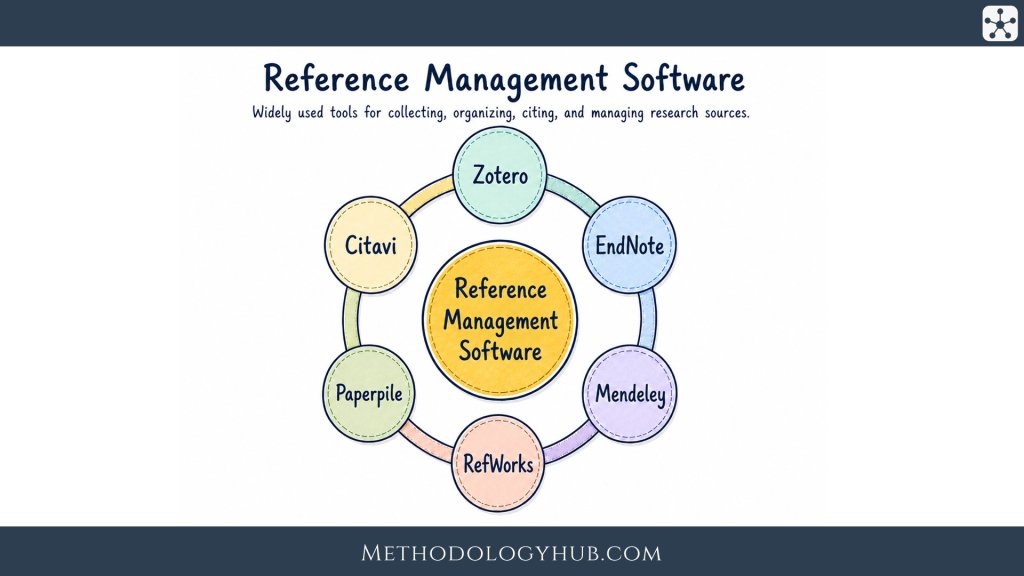
Reference management software helps writers keep sources, PDFs, notes, citations, and bibliographies in one workable system. It is most useful when a project grows beyond a handful of sources and the writer needs to move between reading, note-taking, drafting, revising, and formatting without losing track of where each idea came from.
For a short school assignment, a manual bibliography may be enough. For a dissertation, article manuscript, literature review, grant proposal, or systematic review, manual handling quickly becomes fragile. A title is copied with a small error. A journal issue is missing. A citation style changes at submission. A source used in an early draft disappears from the reference list. These are ordinary problems in academic writing, and reference management software gives them a more stable place to be handled.
The list above compares established reference management tools. The article below explains how these tools fit into academic work, what to look for when choosing one, and how students, researchers, teachers, and research groups can use them without turning the software into another source of confusion.
- Types of academic writing - useful when deciding how references support different kinds of assignments.
- Analytical writing - helpful for using sources as evidence rather than simply listing them.
- Sampling methods - relevant for literature searches, reviews, and research design.
What Is Reference Management Software?
Reference management software is a tool for collecting, storing, organizing, and citing sources. A source record may include the author, title, year, journal, publisher, DOI, URL, abstract, tags, notes, and attached files. Once the record is in the library, the same information can be reused in different ways: as a citation in a document, as an entry in a bibliography, as a searchable record in a personal database, or as part of a shared research library.
The basic idea is simple. Instead of rebuilding a reference every time it is needed, the writer stores the source once and checks that the details are correct. The software can then insert citations into a document and produce a reference list in a chosen style. If the style changes from APA to Chicago, from Harvard to Vancouver, or from author-date to numbered citations, the reference management tool can usually reformat the document without the writer editing every entry by hand.
Reference management software is more than a bibliography maker
Many people first notice reference management tools because of citations. That is understandable. Automated citation insertion is visible and saves time. But the more useful work often happens earlier, while the writer is still reading. Reference management software can collect records from databases, save items from library catalogues, organize PDFs into folders or collections, and keep notes close to the source they describe.
This is especially helpful in longer projects. A student writing a dissertation may read sources across several months. A researcher preparing a review article may screen hundreds of records. A teacher may collect readings for several courses. In these situations, the reference management tool becomes part of the research memory. It does not replace reading or interpretation, but it helps the writer return to the right source at the right moment.
The information inside a reference record
A good reference record is a small package of bibliographic information. It may look technical at first, but the parts follow a familiar pattern. The author and title identify the work. The publication date places it in time. The journal, book, conference, publisher, volume, issue, and pages tell the reader where it appeared. A DOI or stable URL helps the writer and reader find it again.
Reference management tools work best when these details are correct. If a database exports a record with missing capitalization, a wrong page range, or an incomplete author list, the software will not magically know the correction. It will carry the error into the bibliography unless the user edits the record. This is why reference management is partly automated and partly editorial. The software handles repetition. The writer still checks the scholarly details.
Once this distinction is clear, the purpose of the software becomes easier to see. The writer is not only saving time at the end of a project. They are building a controlled source library that can support reading, drafting, revision, and future work.
The library also becomes easier to trust when it is built slowly. A writer who checks records as they are saved will usually spend less time fixing the final bibliography, because the difficult details have already been handled near the moment of reading.
- Reference management software stores source records and helps turn them into citations and bibliographies.
- The same library can support reading, note-taking, drafting, and revision.
- Metadata quality still needs human checking, especially when records come from databases or websites.
- The software saves the most time when a project uses many sources or changes citation style during revision.
When to Use Reference Management Software
Academic writing usually moves in loops rather than in a straight line. A writer searches for sources, reads them, takes notes, writes a section, returns to the literature, changes the argument, adds new material, removes old material, and revises the reference list. Reference management software is useful because it follows that movement. It gives the sources a stable home while the project changes around them.
This is why choosing reference management software should begin with the writing process, not only with the software name. A tool that works beautifully for a solo student in Google Docs may not be the best fit for a laboratory group writing in Word. A researcher who writes in LaTeX may care much more about BibTeX export than about a Word plugin. A history student may need rich notes and archival source types. A health researcher may need duplicate detection and careful screening workflows for review projects.
Collecting sources during search
The first job of reference management software is often capture. A writer finds a source in a database, catalogue, journal website, Google Scholar, PubMed, Crossref, a library discovery system, or a publisher page. Instead of typing the reference manually, they save the metadata into their library. Some tools use a browser connector for this. Others import RIS, BibTeX, EndNote XML, or other bibliographic files.
This stage feels small when there are only five sources. It becomes important when there are fifty, two hundred, or a thousand. The value is not only speed. It is consistency. Sources enter the project in a structured format, which makes them easier to search, group, cite, and export later.
Organizing reading material
After sources are collected, they need to be organized in a way that matches the project. Some writers use folders for chapters, themes, courses, or assignments. Others prefer tags, saved searches, color labels, or notes. There is no single correct system. The useful system is the one that helps the writer find a source again when the draft needs it.
For a literature review, folders may follow themes in the review. For a dissertation, folders may follow chapters and subquestions. For a systematic review, collections may follow stages such as imported records, screened titles, full texts, included studies, and excluded studies. The reference management tool does not decide the structure. It gives the writer a place to build it.
Working with PDFs and annotations
Many reference management tools now handle PDFs as well as bibliographic records. A PDF can be attached to a source record, renamed, stored, highlighted, and sometimes annotated inside the software. This keeps the article and its citation information together. It also reduces the problem of having one folder full of files with names such as download.pdf, article-final.pdf, or science-direct-12345.pdf.
PDF management is especially useful when the writer reads across several devices or returns to sources after a long break. A highlighted passage, a note, or a tag can help the writer remember why a source was saved. Even so, PDF tools differ widely. Some tools are strong PDF readers. Others simply attach files. Anyone who reads heavily inside PDFs should test this part before committing to a tool.
Writing with citations
The writing stage is where many reference management tools show their practical value. A plugin or add-on lets the writer search the library from inside Word, Google Docs, LibreOffice, or another writing environment. The writer selects the source, inserts the citation, and the software builds the reference list. If a cited paragraph moves, many tools keep the citation attached. If a cited source is removed, the bibliography can update.
This is particularly useful in numbered styles, where adding one citation near the beginning of a paper can change the numbering of every later citation. It also helps with long author-date projects, where missing a source in the final bibliography is easy when references are handled manually.
This is also why the writing environment should be tested before a large project begins. A tool may import sources well but feel awkward inside Word, or it may work smoothly in Google Docs but offer less control for a LaTeX project.
A short trial with a real draft is more useful than reading a feature list. Insert a few citations, move a paragraph, change the citation style, and update the reference list. If those steps feel stable, the software is more likely to support the actual writing process.
- Reference management tools fit into the whole research workflow, from searching to final formatting.
- Source capture is useful because it creates structured records instead of loose notes.
- PDF tools help when reading, annotation, and citation data need to stay together.
- The best tool depends on how the writer actually writes, not only on the number of features.
Types of Reference Management Software
Reference management tools can be grouped in several ways, but the boundaries are not always neat. A single tool may have a desktop app, a web version, a mobile app, a browser connector, cloud sync, Word integration, Google Docs support, and BibTeX export. The useful question is not which label sounds better. The useful question is where the library lives, how the writer accesses it, and how easily the data can move when the workflow changes.
Desktop reference management tools
Desktop reference management tools store and manage the library through software installed on a computer. They are often good for people who work mainly on one machine, handle many PDFs, or want local control over a large library. Some desktop tools also sync to the cloud, but the main experience still happens in the installed app.
A desktop-first workflow can feel stable for dissertation writers, laboratory researchers, and anyone who works with large folders of full-text PDFs. The main concern is backup. A local library is only safe if it is backed up properly. Sync services can help, but users still need to understand what is being synced: records, PDFs, notes, annotations, or all of these.
Cloud-based and browser-based tools
Cloud-based reference management tools place more of the experience online. They can be useful for students who move between university computers, personal laptops, tablets, and shared workspaces. They may also fit people who write in Google Docs or collaborate with others outside one institution.
The advantage is access. The risk is dependence on the account, storage limits, and the provider's long-term policies. A cloud library should still be exportable. A writer should be able to leave the tool without losing years of source records. For this reason, export formats such as RIS, BibTeX, and CSL JSON are more than technical details. They protect future access to the library.
Open-source reference management tools
Open-source tools make their source code available and are often supported by communities, foundations, universities, or volunteers. They can be attractive when cost, transparency, long-term access, and portability are central concerns. Open-source does not automatically mean simple, and paid software does not automatically mean stronger. The question is whether the tool fits the user's writing environment and support needs.
Open-source tools are often popular in academic settings because they reduce dependence on institutional subscriptions. A student can keep using the same tool after graduation. A researcher can share instructions with collaborators who do not have access to the same paid licence. This continuity can be more useful than a feature that looks impressive but is rarely used.
Institutional and commercial reference management tools
Many universities provide access to commercial reference management software. This can be helpful because the institution may offer training, technical support, and licensed storage. In some departments, a tool becomes part of the local research culture. Supervisors, librarians, and peers know how to use it, which makes collaboration easier.
The limitation appears when access depends on enrolment or employment. A student who leaves the institution may lose premium features or storage. A researcher moving to another university may need to migrate their library. Before building a large library in any paid or institution-supported tool, it is sensible to check export options and storage rules.
LaTeX and BibTeX-centered tools
Writers who use LaTeX often think about reference management differently. Instead of inserting citations through a Word plugin, they may manage a BibTeX or BibLaTeX file and cite entries by citation keys. In this workflow, reference management software may be used to clean metadata, organize PDF files, and maintain the .bib database.
This is common in fields where LaTeX is part of normal academic writing, such as mathematics, physics, computer science, engineering, and parts of economics. For these users, strong BibTeX support, citation key control, duplicate handling, and clean export may be more important than a polished word-processor plugin.
- Desktop tools are useful when local libraries, PDFs, and installed writing tools are central to the workflow.
- Cloud tools make access easier across devices, but export and storage rules should be checked.
- Open-source tools can support continuity after graduation or job changes.
- LaTeX users usually need strong BibTeX or BibLaTeX handling rather than only Word integration.
Comparing Reference Management Software
Feature lists can become overwhelming. Reference management software may mention hundreds of citation styles, database search, group libraries, PDF annotation, mobile apps, browser capture, duplicate detection, web syncing, and several export formats. These details are useful, but they should be read through a simple question: which parts of the research process does this tool need to support?
A student writing a 2,500-word essay may need browser saving, citation insertion, and a clean bibliography. A doctoral researcher may need long-term organization, PDF annotation, notes, tags, and safe export. A research team may need shared libraries and clear rules for editing records. A systematic review team may need duplicate detection, reliable import from databases, and a way to move records into screening or review software.
Writing software integration
The writing environment is often the first thing to check. A tool may be excellent in general but frustrating if it does not work well with the program where the paper is written. Word integration is common. Google Docs support is more limited but important for writers who collaborate online. LibreOffice support is important in open-source or Linux-centered workflows. LaTeX users need good BibTeX support and citation keys.
This is also where small differences become visible. Some tools insert citations quickly. Others slow down in long documents. Some handle shared Google Docs smoothly. Others are better in a local Word file. Before choosing a tool for a dissertation or large manuscript, it is worth testing it in the actual writing environment with a sample document.
Import, export, and portability
Import tools help the writer bring records into the library. Export tools help the writer leave, share, archive, or reuse the library. Both sides are important. A browser connector may save records quickly, but if export is poor, the library can become difficult to move later. Reference management software should ideally support common formats such as RIS, BibTeX, EndNote XML, and other widely used bibliographic formats.
Portability also affects collaboration. A co-author may use a different reference management tool. A librarian may ask for a RIS file. A systematic review platform may require a specific export format. A journal or archive may need a bibliography in a standard form. Good export reduces friction in all of these situations.
Metadata quality
Metadata quality is one of the quietest parts of reference management, and one of the most important. Reference management software can only format what it has been given. If the author field is wrong, the title is incomplete, the publication type is mistaken, or the DOI is missing, the final bibliography may look wrong even though the citation style is technically applied.
Some tools are better than others at retrieving metadata from DOI, ISBN, PubMed ID, arXiv ID, or PDF files. But no tool is perfect. Articles with unusual titles, edited books, reports, webpages, datasets, legal materials, and archival items often need manual review. The best habit is to check the record when it enters the library, not on the night before submission.
PDF handling and annotation
PDF handling can mean several things. The software may attach PDFs to records, rename files, store them in a folder, sync them across devices, search inside them, extract metadata from them, or allow highlights and notes. These functions are not equal. Someone who only needs citation data may not care much about PDF annotation. Someone writing a literature review may rely on it every day.
Good PDF handling reduces separation between reading and writing. The article, its notes, and its citation data stay connected. This does not remove the need for a separate note system in every project, but it helps prevent the common problem of knowing that a passage was read somewhere and being unable to find it again.
Collaboration and shared libraries
Shared libraries are useful when several people work with the same set of sources. A research group may maintain a project library. A supervisor and doctoral student may share readings. A team preparing a review may divide screening and retrieval tasks. In these cases, the reference management tool needs more than individual citation insertion. It needs permissions, syncing, clear ownership, and a shared understanding of how records should be edited.
Collaboration also introduces housekeeping. If every member imports the same record in a slightly different form, duplicates grow quickly. If tags are used inconsistently, the library becomes harder to search. A shared library works best when the team agrees on a few simple practices before the collection becomes large.
| Feature area | Question to ask | Why it helps |
|---|---|---|
| Writing integration | Does it work well with Word, Google Docs, LibreOffice, or LaTeX? | The tool should fit the place where the paper is written. |
| Import and export | Can records move in and out through common formats? | Portability protects long-term access and collaboration. |
| Metadata quality | How well does it retrieve and clean bibliographic details? | Accurate records produce cleaner citations and bibliographies. |
| PDF handling | Can it attach, rename, search, sync, or annotate PDFs? | Reading material stays connected to source records. |
| Collaboration | Can shared libraries be edited safely by several users? | Teams need a stable common source collection. |
Reference Management Software for Students
Students usually need reference management software for a practical reason: essays, reports, seminar papers, and dissertations often require accurate citations long before the student feels confident with citation rules. The best choice is usually the tool that makes good habits easy. It should save sources quickly, work with the writing software used in the course, and make errors visible enough that the student still learns how referencing works.
For most students, the first decision should not be about the longest feature list. It should be about the writing environment. A student who writes in Google Docs has different needs from one who writes in Microsoft Word. A student using a university computer lab may need a web-based option. A student close to graduation should think about whether access continues after leaving the institution.
Suggested tools for students
A sensible starting recommendation for many students is Zotero, especially when cost, long-term access, and portability are important. It works well for students who want one library that can continue after graduation. It is also a good choice when students move between Word, LibreOffice, and Google Docs.
Paperpile is a strong option for students who live mostly in Google Docs and Chrome. It keeps the workflow simple and can feel less intimidating for users who do not want a desktop-heavy setup. RefWorks can be a good student choice when a university library provides access and teaching support, but students should export their libraries before graduation or before changing institutions. EndNote is usually more than a first-year student needs, but it can be useful when a department already teaches it or when advanced coursework expects Word-based citation workflows.
| Student situation | Good starting suggestion | Reason |
|---|---|---|
| General essay writing in Word, LibreOffice, or Google Docs | Zotero | Good all-round choice, free to start, and useful beyond one course. |
| Google Docs and Chromebook-based writing | Paperpile or Zotero | Paperpile is especially smooth in Google workflows; Zotero is better when free long-term portability matters more. |
| Course or university library already teaches one tool | RefWorks, EndNote, or Zotero | Local support can be more useful than a theoretically better tool with no help available. |
| Short assignments with only a few sources | Zotero with a small library | A simple setup teaches habits that still work when projects become longer. |
Reference Management Software for Researchers
Researchers usually need reference management software because their writing changes over time. A manuscript may move from one journal to another. A reviewer may ask for another literature section. Co-authors may add sources. A grant proposal may reuse part of a bibliography from an earlier paper. In this setting, reference management software is less about producing one reference list and more about keeping scholarly work movable, revisable, and well documented.
The best choice depends on the researcher's field, writing software, collaboration pattern, and need for PDF organization. A researcher writing short papers alone may need a different setup from someone managing hundreds of papers for a review article. A LaTeX user should not choose software only because it is popular in Word-based departments. A researcher in a hospital, laboratory, or university department may also need to consider what colleagues and librarians already support.
Suggested tools for researchers
Zotero is a strong general recommendation for researchers who want portability, browser capture, group libraries, and support across common writing tools. EndNote remains a practical choice in fields where Word manuscripts, large institutional libraries, journal style switching, and library support are central. JabRef is a better fit for researchers who work directly with BibTeX or BibLaTeX and want a library that stays close to LaTeX workflows.
Citavi can be useful when the project needs more than citation insertion, especially if the researcher wants to connect references, quotations, tasks, and structured reading notes. Paperpile is useful for researchers who write mainly in Google Docs and want a clean web-based workflow. Mendeley can make sense when a researcher already has a Mendeley library or works in a group that uses Mendeley Cite, but it should be tested with the actual Word setup before a high-stakes manuscript is built around it.
| Research workflow | Suggested software | Best use |
|---|---|---|
| General academic writing and article preparation | Zotero | Good default when the researcher wants flexibility across devices, formats, and writing tools. |
| Word-heavy biomedical, clinical, or institutional writing | EndNote | Useful when a department already supports EndNote and manuscripts move between journal styles. |
| LaTeX, BibTeX, or BibLaTeX writing | JabRef | Best when the .bib file itself is part of the research workflow. |
| Long literature review with reading notes and tasks | Citavi or Zotero | Citavi suits structured knowledge organization; Zotero suits flexible source management. |
| Google Docs-based research writing | Paperpile or Zotero | Paperpile is convenient for Google-first writing; Zotero is broader if the workflow may change later. |
Researcher suggestion: before choosing, test the tool with one real paper: import ten sources, attach two PDFs, insert five citations, change the citation style, export the library, and open the document again on another device.
Researchers should also think about what happens after the current project. A tool that exports clean BibTeX, RIS, or EndNote XML gives the library a safer future because the records can move if the lab, institution, operating system, or writing workflow changes.
For long projects, it is sensible to set up a small structure early. Separate collections for background reading, methods, key theory, included studies, excluded studies, and sources still to check can prevent the library from becoming a single crowded folder.
- Researchers should choose by workflow, not by general popularity.
- Zotero is a strong general option for flexible academic writing and portable libraries.
- EndNote can be useful in Word-heavy and institution-supported research settings.
- JabRef is a better fit when BibTeX or BibLaTeX control is central to the project.
Reference Management Software for Teachers
Teachers use reference management software differently from students and researchers. The tool may support lecture preparation, reading lists, course bibliographies, classroom demonstrations, supervision, or shared resources for a department. In teaching, the best software is often the one that makes sources easier to explain to learners.
Teachers also have to think about access. A tool that works well for the teacher may not be available to students. A paid desktop tool may be reasonable for a faculty member but unrealistic for a class of first-year students. For teaching purposes, consistency and accessibility are often more important than advanced features.
Suggested tools for teachers
Zotero is usually the best teaching suggestion when the aim is to demonstrate a full academic workflow without forcing students into a paid product. Teachers can use it to show how sources are saved, corrected, organized, cited, and exported. It also works well for shared course libraries when students or teaching assistants need access to the same reading material.
RefWorks can be a good teaching choice when the institution already provides it and librarians support it. In that case, the advantage is not only the software itself but also the support system around it. Paperpile can work well for teachers whose courses are built around Google Docs. EndNote is suitable for advanced research writing courses or postgraduate supervision when the field or department already expects it.
| Teaching use | Suggested software | Practical suggestion |
|---|---|---|
| First-year citation teaching | Zotero | Show one simple workflow: save source, check record, cite in text, create bibliography. |
| Google Docs classroom writing | Paperpile or Zotero | Use the same tool for the whole class so support questions stay manageable. |
| Institution-wide library instruction | RefWorks or Zotero | Choose the tool that librarians can support during the semester. |
| Postgraduate supervision | Zotero, EndNote, or Citavi | Match the tool to the student's writing environment and the supervisor's ability to troubleshoot it. |
Teachers should avoid turning reference management into a software comparison exercise too early. Students learn faster when the demonstration stays close to the assignment. A useful class activity is to give students two flawed imported records and ask them to correct the item type, author, title, date, and publication details before generating a bibliography.
- Teachers should choose accessible tools that students can actually install, use, and keep using.
- Zotero works well for teaching because it supports a complete workflow without requiring a paid licence.
- RefWorks can be useful when it is already supported by the university library.
- Classroom demonstrations should include metadata checking, not only citation insertion.
Reference Management Software for Teams
Teams need reference management software to keep a shared source collection stable. A team may be a laboratory, a dissertation group, a review team, a grant-writing group, a course team, or a cross-institutional collaboration. The main problem is not only whether the software can sync. The harder problem is whether people can add, edit, organize, and cite sources without creating a messy library that nobody trusts.
The best team setup depends on access, permissions, writing software, and ownership. A shared library should not disappear when one student graduates or one staff member changes jobs. A team also needs rules for who can edit records, how duplicates are handled, how PDFs are named or attached, and when the library is exported for backup.
Suggested tools for teams
Zotero Groups is often the best first suggestion for academic teams that need a shared library without making every member buy software. It is especially useful when collaborators come from different institutions. RefWorks is a good fit for teams inside one university when institutional access and library support are already in place. EndNote can fit Word-heavy teams that already have licences and need strong manuscript preparation routines.
Paperpile is a practical option for teams that write in Google Docs and already work inside Google Workspace. Citavi can be useful for structured teams that want shared references, reading tasks, quotations, and knowledge organization, especially in Windows and Word-based environments. Mendeley can work for teams that already use it, but the group should test sharing, export, and Word citation behavior before relying on it for a major deadline.
| Team situation | Suggested software | Team rule to add |
|---|---|---|
| Mixed-institution academic collaboration | Zotero Groups | Create one owner account or shared administrative plan, not a library tied only to one temporary member. |
| University department with library-supported access | RefWorks or EndNote | Use the tool supported by local librarians if they will train new members. |
| Google Docs team writing | Paperpile or Zotero | Agree whether citations are inserted only by one editor or by all writers. |
| Structured review, grant, or book project | Citavi, Zotero, or EndNote | Define collections for core literature, methods, included sources, excluded sources, and sources needing review. |
Those rules do not need to be complicated. A short shared note can be enough: use one naming pattern for collections, add tags only from an agreed list, check DOI and author fields before citing, and keep project exports in a shared folder after major revisions.
Teams should also decide how citations enter shared manuscripts. In many groups, one person manages citation insertion near submission, while others comment on source choices. In smaller teams, everyone may insert citations, but that only works smoothly when all writers use the same software and the same shared library.
- Teams need shared rules as much as shared software.
- Zotero Groups is often a strong default for cross-institutional academic teams.
- RefWorks and EndNote can fit institution-supported teams with stable licences and library training.
- Team libraries should be backed up and exported at important project stages.
Conclusion
Reference management software is most useful when it is treated as part of the writing process rather than a last-minute formatting tool. It helps collect sources, keep PDFs and records together, organize reading, insert citations, and produce bibliographies. It also gives longer projects a more stable structure, especially when sources are added, removed, reorganized, or reformatted over time.
The best reference management tool is not always the one with the longest feature list. It is the one that fits the writer's actual work. A student may need simple citation support. A dissertation writer may need long-term organization. A LaTeX user may need clean BibTeX control. A research group may need shared libraries and agreed routines. A review team may need careful importing, duplicate handling, and export to screening tools.
Whatever tool is chosen, the same basic habits remain important: check metadata, keep organization simple, learn the citation style, back up the library, and make sure the data can be exported. When those habits are in place, reference management software can make academic writing calmer, cleaner, and easier to revise.
- Reference management tools help writers control sources across reading, drafting, citing, and revision.
- The right tool depends on the writing environment and the size and shape of the project.
- Accurate metadata is the foundation of accurate citations.
- Export options, backups, and simple organization protect the library over time.
- The software supports academic judgment, but it does not replace careful reading or source evaluation.
Find and compare more research tools
Compare the most-used and actively maintained research tools and academic software. Explore software solutions for working with scholarly sources and research data, with an emphasis on practical academic workflows, research methods, collaboration, and software features.
Content Analysis Software
Compare tools for coding material, counting categories, and finding patterns across research documents.
Compare toolsLiterature Review Software
Explore tools for searching, screening studies, extracting evidence, and organizing reviews.
Compare toolsMixed Methods Software
Find tools that bring qualitative evidence and numerical data together for integrated analysis.
Compare toolsQualitative Data Analysis Software
Compare software for coding interviews, field notes, documents, and other qualitative material.
Compare toolsReference Management Software
Find tools for organizing sources, managing citations, and maintaining a research library.
Compare toolsStatistical Software
Compare options for data analysis, statistical modelling, and reproducible research workflows.
Compare toolsText Analysis Software
Explore tools for examining word use, language patterns, and large collections of text.
Compare toolsThematic Analysis Software
Compare tools for developing themes and tracing interpretations across qualitative data.
Compare toolsTranscription Software
Find tools for turning interviews, focus groups, and recordings into editable transcripts.
Compare toolsWriting Assistant Software
Compare tools that support drafting, editing, collaboration, and academic writing.
Compare toolsFuture section
Reserved for a new tool category.
Future section
Reserved for a new tool category.
Future section
Reserved for a new tool category.
Future section
Reserved for a new tool category.