
Correlation Coefficient Calculator
This Correlation Coefficient Calculator is a browser-based tool for measuring the relationship between two variables. It computes and interprets the correlation values based on input data, allowing users to assess both the strength and direction of an association.
Correlation Coefficient Calculator
Use this tool to calculate the relationship between two variables. It returns the correlation coefficients for Pearson, Spearman, and Kendall’s τ-b, along with covariance, the coefficient of determination (R²), and the two-sided Pearson p-value. A scatter plot with an optional Pearson trend line helps visualize the data. Incomplete rows are ignored automatically.
Paste or enter your data
Type values directly into the table. You can paste one column (only X or only Y) or two columns (X + Y) from Excel or CSV using Ctrl/Cmd + V. Decimal commas are recognized. You can also select cells and copy them like in a spreadsheet.
| # | X | Y |
|---|
Correlation summary
Run the calculator to view the Pearson result, rank-based correlations, interpretation, and supporting tables.
Interpretation
Scatter plot
Correlation table
Pearson test details
About this Correlation Coefficient Calculator
Correlation Coefficient Calculator Online
The calculator allows data to be entered directly into a table that behaves similarly to a spreadsheet. Values can be typed manually or pasted from Excel or CSV files using standard copy-paste actions. Both single-column and paired-column inputs are supported. The Correlation Coefficient Calculator automatically recognises numeric formatting, including decimal commas, and ignores rows that do not contain complete X and Y pairs. This ensures only valid data is included in the calculations.


Understanding the Interpretation Output
The interpretation provided by the Correlation Coefficient Calculator translates numerical correlation values into descriptive categories. These categories indicate whether the relationship is weak, moderate, or strong, and whether it is positive or negative.
This automated interpretation within the Correlation Coefficient Calculator helps reduce the need for manual classification using external reference tables.
What the Correlation Coefficient Calculator Measures
The Correlation Coefficient Calculator measures the strength and direction of relationships between two variables using multiple statistical methods. These include Pearson correlation for linear relationships, Spearman correlation for ranked data, and Kendall’s τ-b for ordinal associations.
In addition to correlation values, the Correlation Coefficient Calculator also computes covariance, R², and p-values to support deeper statistical understanding of the dataset.

Visualisation with Scatter Plot and Trend Line
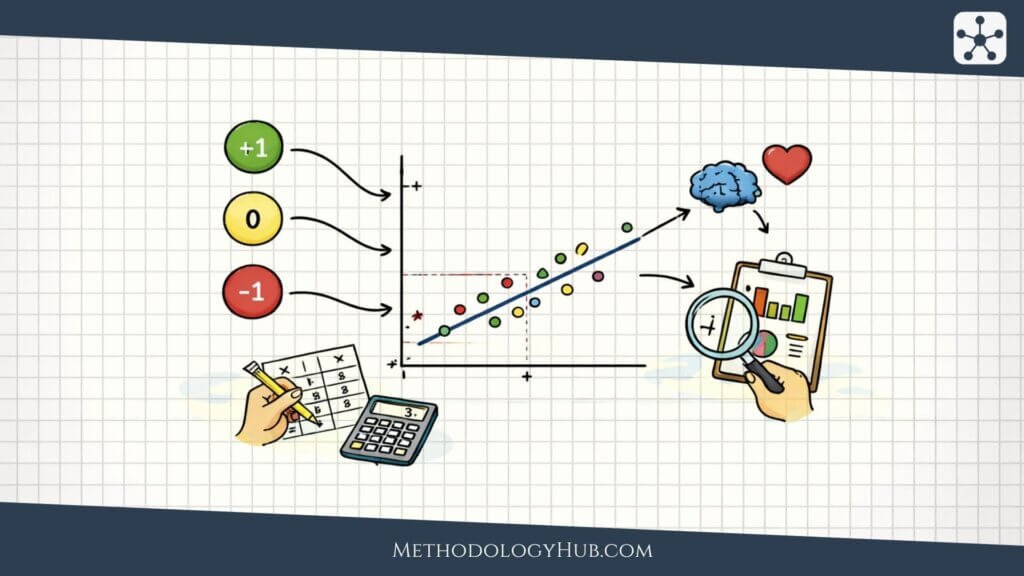
The Correlation Coefficient Calculator includes a scatter plot that displays the relationship between variables visually. Each data point is plotted based on its X and Y values, allowing patterns in the data to be observed directly.
An optional Pearson trend line can be enabled to show the linear relationship more clearly. This visual representation supports interpretation alongside the numerical results.
Privacy-first Correlation Coefficient Calculator
All calculations in the Correlation Coefficient Calculator are performed locally in the browser. Data is not uploaded, stored, or transmitted to external services during use. The tool operates without AI systems or external computation, ensuring deterministic results based solely on the provided input values.


Limitations of Correlation Analysis
The results of a correlation analysis describe association but do not imply causation. A strong correlation does not necessarily indicate that one variable directly influences another.
This limitation should be considered when using the Correlation Coefficient Calculator for research or reporting, particularly in studies involving complex or confounding variables.
If you want to learn more about correlation analysis, read our article “Correlation Analysis explained: Calculation and Interpretation“
Other free statistical tools
These tools support common statistical analysis tasks in research, from exploring relationships in data to estimating effects, building models, and planning studies.
Correlation Coefficient Calculator
Measure the strength and direction of relationships between variables with clear, easy-to-read results. Useful for exploratory analysis, hypothesis testing, and reporting findings.
Effect Size Calculator (Cohen's d)
Calculate effect size quickly to understand the practical magnitude of differences between groups. Ideal for research reports, study interpretation, and comparing results beyond p-values.
Linear Regression Calculator
Analyze how variables predict an outcome using straightforward regression outputs. Helpful for modeling trends, testing hypotheses, and interpreting statistical relationships.
Sample size calculator
Estimate the sample size needed for your study based on key statistical inputs. A practical tool for planning experiments, surveys, and research designs with adequate power.